Find What You Need
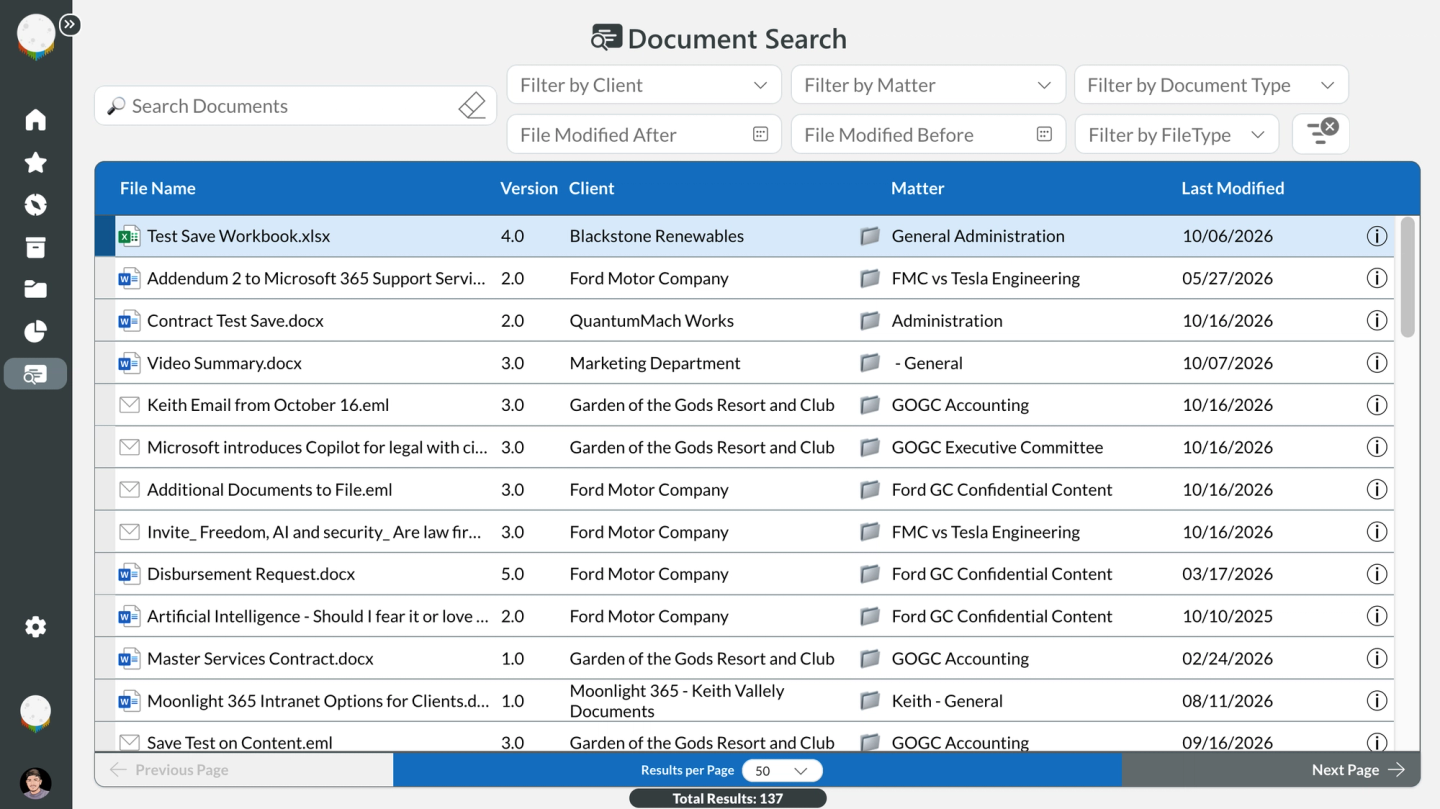
Search across SharePoint to quickly locate documents, email, clients, projects, matters and other content without navigating through multiple sites and libraries.


PRODUCT
Moonlight 365 Navigator gives your team one simple, browser-based place to find and work with SharePoint content. Search documents and email, browse clients, projects or matters, manage files, and connect to the Microsoft 365 tools you already use.

A Better SharePoint Experience
Give users one intuitive place to find, browse and work with SharePoint Content, organized around the clients, projects and work that matter to them.
Search across SharePoint to quickly locate documents, email, clients, projects, matters and other content without navigating through multiple sites and libraries.
Browse SharePoint content by client, matter, project or other familiar business structure, making information easier to understand and access.
Open, upload, preview and work with SharePoint files while connecting users to the Microsoft 365 tools and resources they use every day.
See the Navigator in Action
See how Navigator makes it easier to find content, move through your SharePoint Workspaces, and access the tools and information your work depends on.
Search your SharePoint content to quickly find the documents and stored email you need, without navigating through sites, libraries and folders, taking advantage of full text search.

Get Started
Let Moonlight 365 demonstrate to you and your organization how the Navigator can improve your users SharePoint experience while enhancing their productivity.